



La codifica sicura affronta tempestivamente vulnerabilità come XSS e perdite di memoria, aumentando la resilienza del software e riducendo i rischi.
Le pratiche proattive consentono di risparmiare tempo e denaro evitando costose correzioni post-rilascio e promuovendo la fiducia degli utenti.
Le best practice includono la convalida degli input, la protezione del codice di terze parti e l'utilizzo di strumenti come SAST per controlli continui.
Gli standard di OWASP, CERT e NIST aiutano gli sviluppatori a creare applicazioni sicure e affidabili.
Wiz Code supporta la codifica sicura con scansioni in tempo reale, feedback fruibili e indicazioni per salvaguardare il tuo SDLC.
Che cos'è la codifica sicura?
La codifica sicura è la pratica di sviluppare software resistente alle vulnerabilità della sicurezza applicando le best practice, le tecniche e gli strumenti di sicurezza nelle prime fasi dello sviluppo. Invece di pensare solo all'esperienza dell'utente, la codifica sicura allinea ogni funzionalità con le misure di sicurezza, fin dall'inizio del ciclo di vita dello sviluppo del software.
Ad esempio, un'applicazione che accetta tutti i dati da un client senza disinfettarli potrebbe essere più semplice da implementare, utilizzare e gestire. Tuttavia, apre un punto di ingresso per gli utenti malintenzionati per iniettare codice dannoso.
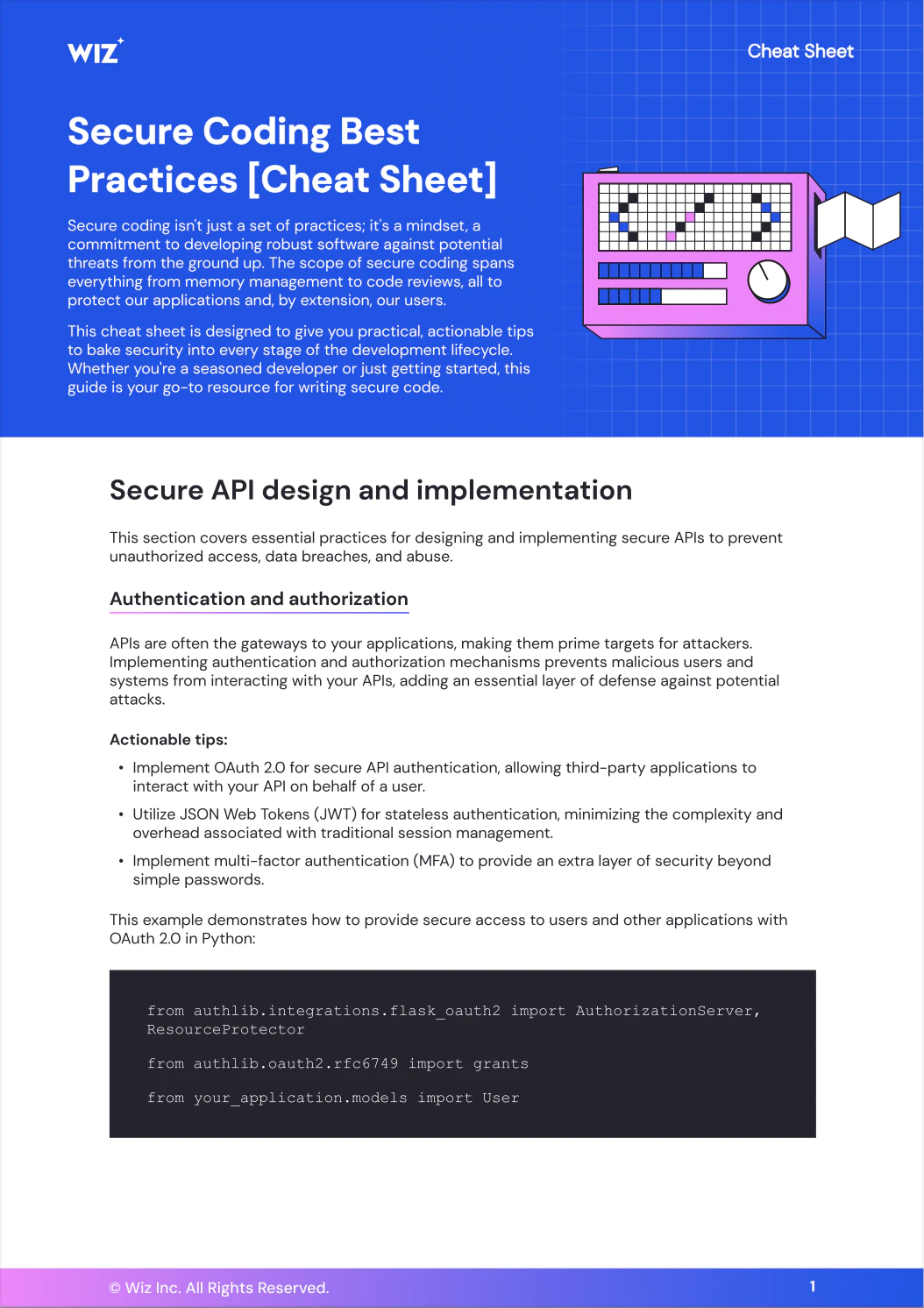
The Secure Coding Best Practices [Cheat Sheet]
With curated insights and easy-to-follow code snippets, this 11-page cheat sheet simplifies complex security concepts, empowering every developer to build secure, reliable applications.
Download Cheat Sheet
Why is secure coding important?
La codifica sicura incorpora la sicurezza nel DNA del tuo software per prevenire vulnerabilità come SQL injection, buffer overflow, cross-site scripting e altro ancora. Oltre a prevenire le violazioni, è un modo per salvaguardare la fiducia degli utenti, spostare la sicurezza a sinistra e soddisfare i severi standard delle leggi sulla protezione dei dati.
Il guadagno? Meno brutte sorprese dopo il lancio, app più potenti e una migliore protezione sia per gli utenti che per la tua organizzazione.
Sette tecniche di codifica sicura per la creazione di software sicuro
Un processo di sviluppo software sicuro inizia con l'adozione delle giuste pratiche di codifica che aiutano a prevenire le vulnerabilità e a mantenere sicure le applicazioni. Se tu'se stai cercando una risorsa più approfondita, assicurati di controllare i requisiti di codifica sicura OWASP nel loro Guida per gli sviluppatori.
Nel frattempo, ecco alcune tecniche chiave che puoi iniziare a utilizzare subito per creare sistemi software più sicuri:
1. Utilizzare linguaggi e strumenti moderni
Molte vulnerabilità di sicurezza relative alla memoria interessano i linguaggi di programmazione con gestione manuale della memoria e nessun controllo della memoria incorporato. Quando inizi un nuovo progetto, assicurati di aver davvero bisogno di C/C++ e, se lo fai, usa Puntatori intelligenti e Analizzatori di codice statico per ridurre al minimo l'impatto dei difetti linguistici.
Se hai bisogno di funzionalità di programmazione di sistema, un linguaggio più moderno come Ruggine può essere una buona scelta perché il suo sistema di tipi controlla l'utilizzo della memoria in fase di compilazione. Zig potrebbe anche essere una buona alternativa, in quanto non ha un flusso di controllo nascosto o allocazioni di memoria.
Se non sono necessarie funzionalità di programmazione di sistema, l'uso di un linguaggio di Garbage Collection come Java o C# può proteggere l'utente da molti problemi di memoria.
2. Convalidare e disinfettare i dati di input e output
I dati utente non convalidati sono la ragione principale dei difetti di iniezione. Ecco perché è di fondamentale importanza convalidare tutti i dati che entrano nel sistema. La sanificazione è un altro passaggio che può tenere sotto controllo la sicurezza senza sacrificare l'usabilità. Invece di rifiutare l'input di un utente se non è valido, la sanitation eliminerà le parti di input problematiche (ad esempio, JavaScript all'interno dell'HTML) e utilizzerà i dati rimanenti. Quando si esegue in un ambiente client-server, assicurarsi che la convalida e l'igienizzazione avvengano sul server. Ciò significa aggiungere validatori e igienizzanti a tutti gli endpoint API che accettano i dati dell'utente. Può anche significare scegliere formati di dati facili da convalidare, ad esempio accettare Markdown semplice invece di HTML a tutti gli effetti.
Mantenere puliti i dati di input non è sempre possibile; Anche le librerie di convalida presentano dei bug. Per garantire che nulla trapeti agli utenti, visualizzare solo gli output basati sugli input dell'utente in modo sicuro (ad esempio, non eseguire il rendering dell'HTML).
3. Controllare l'integrità del codice di terze parti
Le librerie e i framework di terze parti sono salvavita per accelerare lo sviluppo, ma vengono forniti con dei vincoli: non sono stati costruiti a casa tua. Trattali come qualsiasi input per il tuo processo di costruzione: attentamente controllati e sotto controllo.
Vuoi evitare brutte sorprese? Aggiungere le dipendenze a Versioni o hash specifici per impedire che gli aggiornamenti non testati entrino in produzione. Controllare e aggiornare regolarmente queste librerie non è affascinante, ma è l'unico modo per evitare che il codice obsoleto diventi il tallone d'Achille.
4. Applica un rigoroso controllo degli accessi
Il controllo degli accessi limita chi può visualizzare o modificare codice e risorse, proteggendo le funzioni e i dati sensibili da utenti non autorizzati. Attenersi al Principio del privilegio minimo: offri agli utenti solo ciò di cui hanno bisogno per svolgere il loro lavoro, niente di più, niente di meno.
Per una maggiore sicurezza, è consigliabile implementare i controlli degli accessi in base al ruolo e l'autenticazione a più fattori. Queste misure riducono ulteriormente la superficie di attacco e garantiscono che le persone non autorizzate non possano accedere a sistemi o dati critici.
5. Implementare una corretta gestione e registrazione degli errori
Nessuno vuole consegnare agli aggressori una roadmap, eppure è esattamente ciò che possono fare messaggi di errore eccessivamente dettagliati. Tenete i dettagli interni, ad esempio le tracce dello stack e gli errori del database, fuori dalla portata degli utenti. Registrali invece, in modo sicuro e ponderato, solo per gli occhi del tuo team.
I buoni registri raccontano la storia: cosa è successo, quando e perché. Monitorali per qualsiasi cosa sospetta, ma non esagerare registrando dati sensibili. L'equilibrio è fondamentale in questo caso: si risolvono i problemi, non si espongono.
6. Automatizza le revisioni del codice
Le revisioni manuali sono importanti, ma l'automazione è necessaria. Strumenti automatizzati come test statici di sicurezza delle applicazioni (SAST) E i linter segnalano le vulnerabilità e gli errori di codifica più velocemente di quanto potrebbero mai fare gli esseri umani.
Aggancia questi strumenti alla tua pipeline CI/CD e ogni modifica al codice viene riesaminata prima di essere unita. Il feedback immediato tiene aggiornati gli sviluppatori e garantisce che le best practice di sicurezza rimangano in primo piano.
7. Applicare tecniche di offuscamento del codice
L'offuscamento del codice non rende la tua app a prova di proiettile, ma rallenta gli utenti malintenzionati. La ridenominazione delle variabili in parole senza senso, la codifica delle stringhe e la ristrutturazione del codice rendono più difficile il reverse engineering o il furto di proprietà intellettuale.
Pensalo come un'aggiunta di camuffamento: l'app funziona ancora senza problemi per gli utenti, ma i malintenzionati troveranno molto più difficile entrare o dare un senso a ciò che vedono. Ogni ostacolo aiuta.
Vulnerabilità comuni del software del codice
Diamo un'occhiata alle vulnerabilità di sicurezza comuni identificate dagli sviluppatori di software e dai ricercatori di sicurezza. Passeremo da problemi di basso livello come le vulnerabilità della memoria a problemi di livello superiore come gli attacchi injection.
Overflow del buffer
Gli overflow del buffer possono causare l'arresto anomalo dell'applicazione o consentire agli utenti malintenzionati di scrivere dati in altri buffer.
I linguaggi di programmazione di sistema come C/C++ sono soggetti a questa vulnerabilità. Consentono e persino richiedono esplicitamente la gestione della memoria, ma non controllano l'accesso alla memoria fino a quando non è troppo tardi. Se si scrivono più dati in un buffer di quelli assegnati al momento della definizione, C eseguirà l'override di tutti i dati di memoria che seguono alla fine del buffer.
Esempio di overflow del buffer in C:
int b[5];
  b[5] = 999; buffer va solo da 0 a 4
Utilizzo dopo gratuito
L'uso dopo l'esecuzione si verifica quando si libera memoria nell'heap ma si continua a usare il puntatore precedente.
Anche in questo caso, questa vulnerabilità è evidente nei linguaggi senza Garbage Collection, come C/C++, in cui è necessario gestire manualmente la memoria. Esistono due tipi di memoria: lo stack e l'heap. Il linguaggio gestisce automaticamente lo stack, che non può contenere dati con dimensioni dinamiche che non sono note in fase di compilazione. L'heap è per i dati dinamici, ma è necessario allocare manualmente e liberare spazio su di essi. Liberare significa dire al sistema operativo che non è più necessaria la memoria, quindi se la si utilizza in seguito con un puntatore, l'accesso illegale andrà a una posizione di memoria non allocata.
Esempio di utilizzo dopo free in C:
char* p = (char*)malloc (16);
      p = strdup("Un po' di testo!");
      libero(p);
      printf("%s", p); stampa ciò che ora c'è nella memoria liberata
Doppia gratis
Nel caso di double free, si libera la memoria heap dopo averla già liberata.
Double free è un problema nei linguaggi con gestione manuale della memoria, in cui è necessario comunicare esplicitamente al sistema operativo che non è più necessario un intervallo di memoria specifico. Se lo fai due volte, si verificherà un arresto anomalo simile al problema di utilizzo dopo la liberazione. Questo in genere accade quando si dispone di più oggetti con puntatori l'uno all'altro che vengono liberati a un certo punto. Double free può danneggiare la memoria a cui fa riferimento un puntatore prima del primo free.
Esempio di double free in C:
char* p = (char*)malloc (16);
      p = strdup("Un po' di testo!");
      libero(p);
      libero(p); corromperà ciò che c'è nella memoria liberata
Deserializzazione non sicura
La deserializzazione non sicura comporta la trasformazione diretta di una struttura di dati esterna (ad esempio, JSON, XML, ecc.) in una struttura interna (ad esempio, oggetti, array, ecc.) senza controlli sufficienti.
La deserializzazione non sicura è una vulnerabilità comune in tutti i tipi di applicazioni. Potrebbe essere utile accettare dati non disinfettati durante lo sviluppo, ma gli utenti possono intrufolarsi in dati dannosi senza preavviso se viene eseguito in produzione.
Esempio di deserializzazione non sicura in JSON:
{
  "nome": "esempio",
  "E-mail": "email@example.com",
  "isAdmin": true // deve essere cancellato sul server
}
Perdite di memoria
Le perdite di memoria consentono all'applicazione di utilizzare la memoria senza limiti. Se si esaurisce la memoria disponibile e se ne richiede di più, l'applicazione si arresta in modo anomalo.
Ogni applicazione sufficientemente complessa è soggetta a questa vulnerabilità. Anche le lingue raccolte da Garbage Collection non sono al sicuro dalle perdite di memoria. I linguaggi sottoposti a garbage collection consentono comunque di creare strutture di dati che un Garbage Collector non è in grado di gestire.
Difetti di iniezione
L'esecuzione dell'input dell'utente come codice senza convalidarlo è nota come difetto di iniezione.
Questo problema può interessare tutte le applicazioni, indipendentemente dal linguaggio di programmazione utilizzato. Un modo per rendere l'applicazione vulnerabile ai difetti di inserimento consiste nel consentire agli utenti di aggiungere codice personalizzato come funzionalità e non eseguire correttamente l'esecuzione in sandbox. Gli overflow del buffer che consentono agli utenti malintenzionati di scrivere codice in posizioni di memoria eseguibili sono un altro modo in cui l'applicazione può diventare vulnerabile ai difetti di iniezione.
Scripting cross-site (XSS)
Il cross-site scripting è una versione specifica del Web di un difetto di iniezione. In questo caso, un utente malintenzionato inserisce JavaScript personalizzato nascosto all'interno del markup HTML.
XSS può verificarsi su tutti i siti web. Poiché il markup e il codice eseguibile sono strettamente integrati sul Web, è facile intrufolarsi in JavaScript nell'HTML, che fa trapelare dati sensibili.
Esempio di XSS in HTML e JavaScript:
<-- questo invierà una richiesta di recupero
quando il mouse si trova sopra il <p> elemento-->
<p onmouseover="fetch('//example.com')">Salve, mondo!</p>
Entità esterne XML (XXE)
Le entità esterne XML sono un'altra istanza di un difetto di iniezione. Tutte le applicazioni che utilizzano XML sono soggette a questo attacco. L'idea alla base delle entità esterne in XML è quella di consentire il riutilizzo dei file XML esistenti. Tuttavia, un utente malintenzionato può utilizzare questa funzionalità per includere collegamenti a file XML privati, consentendo loro di leggere i dati privati indirettamente tramite il file XML caricato.
Esempio di inserimento di entità XML esterna:
<?xml versione="1.0" codifica="Codice: ISO-8859-1"?>
<! DOCTYPE a [
  <! ELEMENTO A ANY >
  <-- questo definisce una nuova entità chiamata xxe
  da un file privato -->
  <! SISTEMA ENTITY xxe "file:///etc/passwd" >
]>
<-- qui viene eseguito il rendering dell'entità per visualizzare
il contenuto del file -->
<a>&xxe;</a>
Riferimento diretto all'oggetto non sicuro (IDOR)
Quando si consente alle API pubbliche di fare riferimento direttamente a oggetti con ID sequenziali, gli IDOR possono consentire agli utenti malintenzionati di indovinare l'ID di tutti gli oggetti sul server.
Questo problema può verificarsi ovunque vengano utilizzati ID sequenziali per fare riferimento agli oggetti ed è particolarmente grave quando si utilizzano gli ID per fare riferimento a oggetti pubblici e privati senza richiedere l'autorizzazione.
URL di esempio:
https://example.com/users/4539
https://example.com/users/4540
https://example.com/users/4541
Attraversamento della directory (noto anche come attraversamento del percorso)
Un altro difetto dell'iniezione è il punto in cui gli utenti malintenzionati possono attraversare percorsi o strutture di directory tramite input di nomi di file.
Tutte le applicazioni che consentono l'immissione di nomi di file possono diventare vittime di questa vulnerabilità. L'attraversamento della directory può verificarsi quando gli utenti caricano più file che fanno riferimento l'uno all'altro tramite percorsi relativi. Gli utenti malintenzionati possono utilizzare percorsi di attraversamento dei file come ".." per spostarsi dalla directory di caricamento sul server alle directory con i file degli amministratori o di altri utenti.
Esempio di attraversamento della directory in JavaScript su Node.js:
In questo modo viene caricato un file javascript privato
modello const = require(".. /.. /.. /server/config/database")
  render(modello)
Standard di sicurezza del codice
Gli standard di codifica sicura sono insiemi di linee guida e best practice che gli sviluppatori seguono per creare software sicuro e ridurre al minimo le vulnerabilità. Risolvono gli errori di codifica e le debolezze comuni che possono essere sfruttati dagli aggressori, con l'obiettivo di creare codice più resiliente e resistente.
Di seguito sono riportati gli standard comuni del codice di sicurezza da seguire:
1. Pratiche di codifica sicura OWASP:
Le OWASP Secure Coding Practices (SCP) sono linee guida dell'Open Web Application Security Project che si concentrano su aree chiave per migliorare la sicurezza del software, come la convalida dell'input, l'autenticazione, la gestione delle sessioni, la crittografia e la gestione degli errori. È una roadmap per un codice più sicuro, dal tuo Primo commit per la distribuzione finale.
2. Standard di codifica sicura CERT:
I CERT Secure Coding Standards (SCS) sono un insieme di linee guida e raccomandazioni sviluppate dal Software Engineering Institute (SEI) della Carnegie Mellon University per aiutare gli sviluppatori a scrivere codice sicuro e prevenire le vulnerabilità. Principali aree di intervento:
Linee guida specifiche per la lingua:Offre consigli per C, C++, Java, Android e Perl per risolvere le vulnerabilità comuni in questi linguaggi.
Programmazione difensiva:Enfatizzare l'anticipazione e la gestione degli errori in modo corretto per prevenire lo sfruttamento.
Gestione della memoria:Concentrati sulla prevenzione degli overflow del buffer e delle perdite di memoria, soprattutto in linguaggi come C e C++.
3. Linee guida per la codifica sicura NIST:
Le linee guida NIST Secure Coding (note anche come NIST Special Publication 800-218) si concentrano su aree critiche come la convalida dell'input, l'autenticazione, la crittografia e la gestione degli errori, offrendo consigli chiari per tenere lontani dal software gli attacchi di iniezione, il dirottamento delle sessioni e i problemi di memoria. Se desideri un timbro di approvazione sostenuto dal governo sul tuo Procedure di sicurezza del codice, questo è il tuo punto di riferimento.
ISO/IEC 27001 è uno standard internazionale per la sicurezza delle informazioni. Se da un lato'Non è specificamente uno standard di codifica sicura, ma include requisiti per le pratiche di codifica sicura come parte di un approccio completo alla gestione della sicurezza. L'Allegato A, Controllo 8.28: Pratiche di codifica sicura, si concentra specificamente sulla codifica sicura e sottolinea come le organizzazioni devono:
Sviluppa processi di codifica sicuri per lo sviluppo interno e il codice di terze parti.
Tieniti informato sull'evoluzione delle minacce e delle vulnerabilità.
Implementa solidi principi di codifica sicura per affrontarli.
Garantisci un ciclo di vita sicuro dello sviluppo del software con Wiz
La codifica sicura è una pratica che riguarda tutti gli aspetti dello sviluppo del software, dalla scelta dei formati dei dati e dei linguaggi di programmazione alla pianificazione degli input e degli output fino all'implementazione.
Noi're entusiasta di presentare Codice Wiz, la nostra ultima innovazione progettata per consentire agli sviluppatori e ai team di sicurezza di implementare e mantenere solide pratiche di codifica sicura durante l'intero ciclo di vita dello sviluppo del software!
Wiz Code estende la nostra piattaforma di sicurezza cloud per coprire ogni fase dello sviluppo, offrendo potenti funzionalità per supportare le tue iniziative di codifica sicura:
Scansione del codice integrata: rileva vulnerabilità, configurazioni errate e problemi di conformità direttamente nell'IDE e nei repository di codice, rilevando potenziali problemi prima che raggiungano la produzione.
Feedback sulla sicurezza in tempo reale: Ottieni informazioni immediate sulla sicurezza durante la codifica, consentendo agli sviluppatori di risolvere immediatamente i problemi e apprendere pratiche di codifica sicura ovunque ti trovi.
Tracciabilità dal cloud al codice: Traccia i rischi individuati negli ambienti di produzione fino al codice specifico e ai team che li hanno introdotti, facilitando l'analisi e la correzione rapide della causa principale.
Linee guida per la correzione nel codice: ricevi consigli pratici e sensibili al contesto per risolvere i problemi di sicurezza direttamente nel tuo ambiente di sviluppo.
Supporto linguistico completo: Approfitta delle best practice di codifica sicura in un'ampia gamma di linguaggi e framework di programmazione.
Secure your SDLC from start to finish
See why Wiz is one of the few cloud security platforms that security and devops teams both love to use.
